
Certificate Manager Configuration
The Certificate Manager service manages TLS certificates in a Shoot cluster using the standard cert-manager CRDs, without the need to install cert-manager yourself.
This page describes how to configure the service in the OSC Dashboard. For details about the extension's functionality, limitations, and example manifests, refer to the Cert-Manager extension documentation.
Note
The Certificate Manager is disabled by default. It has to be explicitly enabled for a Shoot cluster.
Configuring Certificate Manager in the OSC Dashboard
On an existing Shoot
- Open the Shoot detail page.
- Scroll to the Cluster Services section.
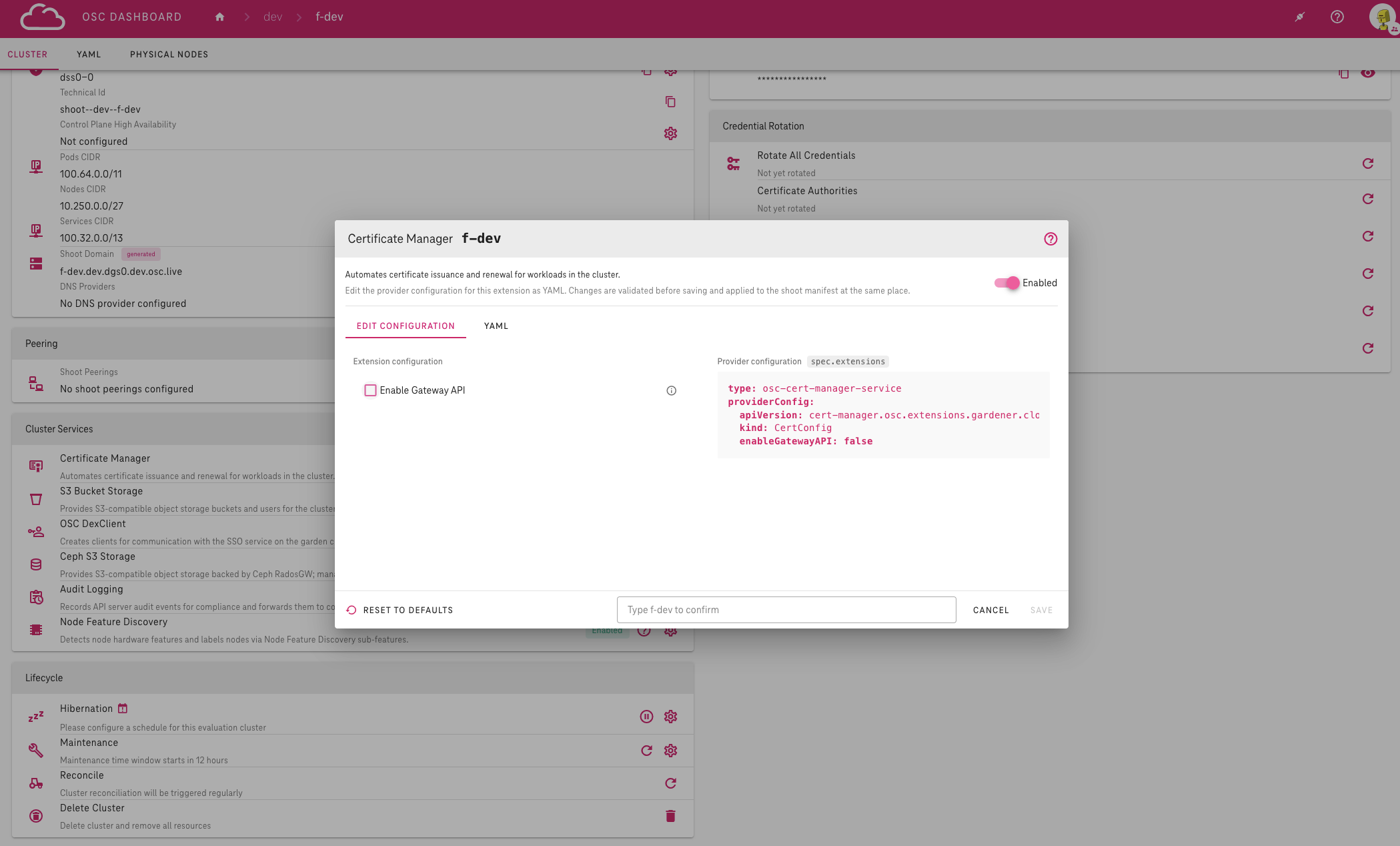
- Click the cog button next to Certificate Manager.
- Switch the service to Enabled.
- Adjust the configuration in the Edit configuration tab if needed.
- Type the Shoot name into the confirmation field.
- Click Save.
During Shoot creation
- In your project, click Create Cluster to open the new Shoot form.
- Scroll to the Cluster Services section.
- Click the cog button next to Certificate Manager.
- Enable and configure the service.
- Click Save to close the dialog.
- Fill in the remaining fields.
- Click Create.
Configuration options
Enable Gateway API: automates certificate provisioning for Gateway API resources. Disabled by default.
- Hover over the help icon next to the field to see its type, allowed values and an example.
- Review the Provider configuration preview on the right — it shows the resulting manifest entry.
The dialog will alert you if a change impacts the running cluster — please review all warnings before saving.
For the full extension specification and usage examples, see the Cert-Manager extension reference.